
Chief Architect X18 Tips: Faster Construction Drawings & 3D Tools - Designers Show #182
Oct 19, 2026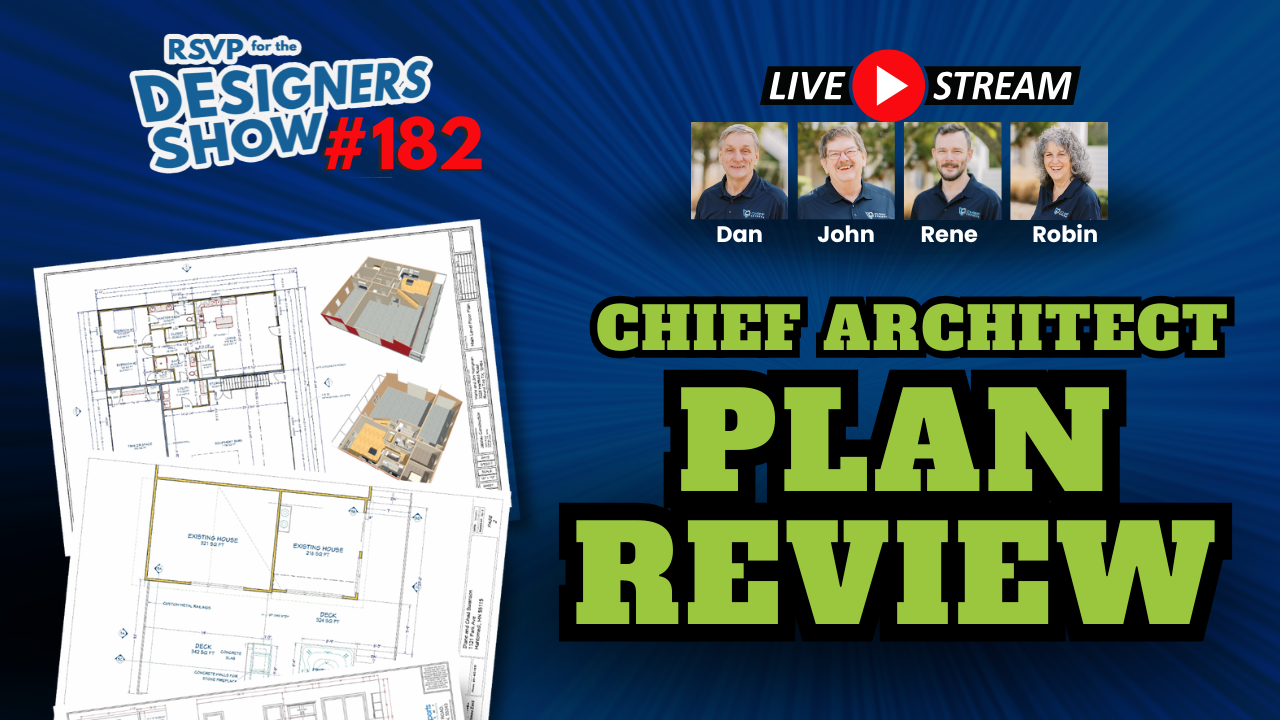
THE DESIGNERS SHOW | EPISODE 182
Better construction drawings don't necessarily require more drawing time. They require smarter systems, better templates, and the right tools.
Every designer knows that creating a good set of construction drawings involves much more than drawing walls, placing windows, and adding dimensions. There are layouts to organize, specifications to update, details to coordinate, and countless small decisions that can turn a straightforward project into hours of additional work.
And when you're juggling multiple projects, those hours add up.
But what if more of that work could happen automatically as you design?
That's one of the big questions explored in Episode 182 of The Designers Show. Dan Baumann and the Chief Experts team were joined by René of Rabbit Design for a hands-on discussion about construction document workflows, advanced Chief Architect templates, and some impressive capabilities in Chief Architect X18.
What started as a conversation about what belongs in a construction drawing set quickly turned into a demonstration of how much more efficiently those drawings can be produced.
The episode also explored layer-based fill styles, customizable specifications, automated details, realistic 3D cladding, and several practical tricks that even experienced Chief Architect users may not have discovered.
What Should Be Included in a Construction Drawing Set?
One of the first points Dan raised was that there isn't one universal construction drawing package that works for every project.
The drawings needed for a new home can be different from those required for a kitchen remodel or an addition. Local building requirements, the scope of work, and the needs of the contractor all influence what belongs in the final set.
Depending on the project, construction documents may include floor plans, site plans, elevations, foundation plans, framing plans, sections, and construction details.
But the discussion wasn't simply about creating a checklist of drawings. It was about developing a system that produces the information you need without forcing you to rebuild your documentation process every time a new project comes along.
Building a Repeatable Documentation Process
René demonstrated a Chief Architect template system designed to support both new construction and remodeling projects.
Rather than starting with an empty layout and manually sending every view to a sheet, his system includes preconfigured drawings, layouts, schedules, and project information.
As the model develops, the construction documents begin taking shape alongside it.
In the demonstration, René created a simple building, generated framing, and opened a layout that was already populated with multiple drawing views. These included site-related plans, existing-condition drawings, proposed plans, reflected ceiling plans, and framing information.
Some views, such as elevations, still required manual updating. Nevertheless, much of the documentation structure was already in place.
WHY THIS MATTERS
A repeatable construction document system reduces setup time and helps maintain consistency across projects. For a busy remodeling company, that means less time arranging sheets and more time developing the actual design.
Using Chief Architect X18 to Simplify Remodeling Plans
Remodeling projects introduce a documentation challenge that new construction projects don't always have: distinguishing what exists, what stays, what gets removed, and what gets added.
During the episode, René demonstrated how his workflow handles these differences using separate as-built information and layer-based display settings.
He began by replacing the contents of an as-built file with a source plan, then added new walls to represent an addition. From there, he used Chief Architect's layer tools to change how different elements appeared.
Clearly Identifying Existing, New, and Demolition Work
One particularly useful demonstration involved the Layer Painter tool.
René selected different wall classifications and applied them directly to the model. The walls automatically changed appearance based on their assigned layers.
He also demonstrated how an existing window could be designated for demolition.
That change affected more than its appearance. In his configured schedules, the demolished window was identified differently, with certain window-order information marked as not applicable.
This illustrates how a carefully configured system can connect drawing graphics with the information used to prepare construction documents.
For remodelers, the benefit is significant. A clearly organized drawing set helps contractors understand the scope of work and reduces confusion between existing and proposed conditions.
It also means designers don't have to rely entirely on manually changing line styles, fills, and annotations each time something changes.
The Value of Layer-Based Fill Styles
A major part of the demonstration focused on Chief Architect X18's layer-based fill style capabilities.
René explained that individual components of a wall assembly can be assigned to different display layers. Those layers can control characteristics such as line weight, line color, line style, and fill style.
This makes it possible to create different visual presentations of the same model.
For example, a working framing view might use different colors to distinguish structural elements, while the final printed construction drawings use a cleaner, more conventional appearance.
The underlying model stays the same. The presentation changes depending on the purpose of the drawing.
René also demonstrated a roof workflow in which different colors identify exterior wall layers and help indicate where roof components should align.
It's a relatively simple visual strategy, but it can make complicated roof work easier to interpret.
PRACTICAL TAKEAWAY
Spend time understanding how layer-based fill styles work in Chief Architect X18. A well-organized layer system can improve both your working drawings and finished construction documents without requiring separate models.
Automating Specifications and Title Blocks
Another important part of the episode involved the information surrounding the drawings.
Construction documents aren't complete without project details, applicable specifications, design criteria, and other supporting information.
Updating those elements manually across multiple sheets can become tedious, especially when working with different builders or jurisdictions.
René demonstrated a system that handles much of this information through a separate plan file dedicated to title blocks and specifications.
One System, Multiple Project Requirements
His workflow uses a dedicated file to manage information such as project details, contact information, design load criteria, logos, stamps, and specifications.
By changing the referenced file in a layout, he demonstrated how different information could be substituted across the drawing set.
For example, he switched between configurations using different code references and title block information.
The changes appeared in the associated layout without requiring him to edit every individual sheet.
This approach can be particularly useful for designers working across different regions or for several builders with different documentation standards.
Instead of maintaining completely separate drawing systems, portions of the documentation can be configured for different requirements.
Using AI to Help Customize Specifications
One of the more interesting discussions involved using AI to assist with specification writing.
René described how his macro-based system includes instructions that can help an AI tool understand how the specifications are organized.
He demonstrated the concept of exporting macros, using AI to rewrite relevant specification content for a particular region, and importing the revised information.
The example discussed adapting International Residential Code references to regional requirements.
This is a useful illustration of how AI may assist with repetitive documentation work.
IMPORTANT CONSIDERATION
AI-generated specifications still need to be reviewed against applicable codes, local amendments, and project requirements. AI can assist with repetitive editing, but professional verification remains essential.
Faster Construction Documents Through Better Templates
One of the strongest themes throughout the episode was that drawing efficiency often comes from preparation rather than drawing speed.
René has spent years developing his template system, including extensive work adapting it to Chief Architect X18.
His approach is to organize layouts, details, schedules, and resources before a project begins.
That changes how the designer works.
Instead of repeatedly sending views to layout, adjusting sheet arrangements, and rebuilding details, the designer can often reuse an existing layout box, duplicate a sheet, or relink a view.
Preconfigured Layouts Save Repetitive Work
René showed several layout configurations designed for different drawing sizes and presentation needs.
Some follow National CAD Standards conventions, including drawing numbering systems for plans, elevations, sections, and details.
Others use more familiar residential drawing arrangements.
He also demonstrated how template pages can be changed to display different drawing scales, including quarter-inch and half-inch scales.
For designers producing kitchen and cabinet drawings, this flexibility is particularly useful.
The goal isn't to force every project into one rigid format. It's to create a flexible system that handles common documentation needs without starting over.
How Much Time Can a Better Template Save?
During the discussion, René mentioned that some experienced users of his system have reported completing certain drawing sets in approximately five to eight hours.
That is an anecdotal result from users familiar with the templates, not a guaranteed production time for every project.
Project complexity, drawing requirements, and the designer's experience will still determine how long a complete set takes.
But the underlying lesson is worth considering.
If a designer repeatedly spends time arranging sheets, formatting annotations, or recreating standard details, those are opportunities to improve the workflow.
THE BUSINESS BENEFIT
Less repetitive work. More time for profitable projects.
Reducing repetitive production time can increase project capacity, improve turnaround times, and protect profitability without requiring a designer to rush through the actual design work.
Chief Architect X18's 3D Cladding Tools Open New Design Possibilities
The conversation eventually shifted from construction documents to one of Chief Architect X18's more visually interesting capabilities: 3D cladding.
Dan demonstrated how 3D materials and profiles can be used to create architectural elements that would otherwise require more manual modeling.
One example was a lattice panel designed to fit beneath a staircase.
Rather than modeling every piece individually, Dan created the lattice using 3D cladding profiles and material regions.
He demonstrated how the resulting shape could be edited to follow a custom outline.
Creating Custom Lattice and Wall Materials
Dan explained how a material can be configured with a 3D cladding role and assigned a profile.
That profile is repeated across the selected surface to create the desired appearance.
For the lattice example, he used separate directional components and experimented with an additional backing layer.
He also demonstrated a lattice wall type using multiple material layers, allowing the individual pieces to overlap in a way that more closely resembled actual lattice construction.
The team explored how profile offsets, rotation, and interactive cladding adjustments affect the result.
Not every experiment worked exactly as expected, which made the demonstration especially useful. Viewers could see how experienced users troubleshoot unfamiliar settings and test alternative approaches.
Dan also showed a log-style wall created using a custom 3D cladding profile.
The takeaway was that designers now have more options for creating architectural surfaces without individually modeling every repeated component.
More Realistic Stone, Brick, and Roofing Materials
René demonstrated an impressive stone wall created using a combination of AI-assisted geometry preparation and Chief Architect modeling tools.
He described using ChatGPT to help produce a DXF file based on the outlines of stones in a texture.
Those outlines were converted into solids, adjusted to different thicknesses, and ultimately used to create the 3D cladding effect.
The result showed how much visual depth can be introduced through custom profiles.
The discussion also covered realistic brick, board-and-batten, and roofing materials, including ways to vary their appearance through profile settings and randomization.
For designers who use 3D views to communicate with clients, these tools can make presentations more informative and visually convincing.
A textured wall or roof surface can help clients better understand the materials being proposed.
And when those materials are part of the actual Chief Architect model, designers can continue working within their existing design environment.
FROM THE LIVE Q&A
5 Practical Chief Architect Tips Worth Trying
Beyond the main demonstrations, Episode 182 included several smaller techniques worth exploring.
Show Bearing and Nonbearing Walls More Clearly
The team discussed assigning different wall types to separate layers and using distinct line styles. Another option involved changing framing member types so automatically generated framing could display different colors and help illustrate load paths. Clearer visual distinctions can make structural information easier to interpret.
Use Back-Clipped Cross Sections
A back-clipped cross section limits how far the camera looks into the model. Adjusting that distance controls which walls and framing members appear in the view. This is useful when too much background geometry makes a section difficult to read. The team also discussed shadows, depth cues, and callouts.
Build Reusable Construction Details
René demonstrated a detail system in which annotations and linked components could be updated or replaced. He showed changes to wall framing information, brick overlays, and foundation details. Standard details can be reused and adapted instead of redrawn for every project.
Improve Precision With the Section Slider
When Dan was adjusting a section slider, René suggested widening the dialog box. The larger slider allowed smaller, more controlled adjustments. Sometimes a small interface change makes a familiar tool noticeably easier to use.
Explore Roof Valley Flashing Controls
The team briefly demonstrated Chief Architect's roof valley flashing settings, including adjusting the flashing exposure distance. For users working on detailed roof models, this is another feature worth testing.
Why These Workflows Matter for Design and Remodeling Businesses
It's easy to look at new software features and focus on what they can do visually.
But the larger opportunity discussed in Episode 182 was improving how a design business operates.
Consider how much time goes into work that doesn't directly improve the design itself.
Organizing sheets. Updating specifications. Adjusting drawing styles. Rebuilding familiar details. Correcting inconsistent annotations.
These tasks are necessary, but they can consume a significant portion of a project's production time.
Better templates and documentation systems can reduce that burden. They can also improve consistency.
When drawings follow a repeatable structure, it's easier for team members to find information, understand project requirements, and coordinate changes.
For remodelers and builders, clear drawings can help reduce misunderstandings during estimating and construction.
For designers, a more efficient documentation process creates room for additional projects, more detailed design development, or simply less time spent working after hours.
There is also a client communication benefit. Clearer plans and more realistic 3D presentations can help clients understand what they're approving before construction begins.
None of these improvements eliminates the need for experience or careful review. Automation still requires a well-designed system and someone who understands the information being produced.
But when the system is set up correctly, the software can handle more of the repetitive work.
That leaves the designer free to concentrate on the decisions that actually require professional judgment.
THE BIGGER PICTURE
Better templates, clearer drawings, and smarter automation aren't just software improvements. They can support faster project delivery, stronger client communication, and a more profitable design business.
Where to Learn More About Construction Drawing Standards
During the episode, Dan also recommended revisiting an earlier Designers Show conversation with Steve Mickley of the American Institute of Building Design (AIBD).
That episode explored construction drawing standards and included additional resources, such as plan examples, a handbook, and evaluation materials.
For designers interested in improving the quality and organization of their construction documents, it's a useful companion to Episode 182.
Visit ChiefExperts.com and search for Steve Mickley to find the earlier discussion.
Keep Learning With The Designers Show and Chief Experts
Chief Architect X18 offers plenty of tools worth exploring, but knowing which features to use and how to incorporate them into a practical workflow is where the real value begins.
Episode 182 demonstrates that better construction drawings don't necessarily require more drawing time.
They require thoughtful organization, consistent standards, and a willingness to explore tools that can simplify repetitive work.
Whether you're building a new documentation template, improving your remodeling plans, or experimenting with 3D cladding, there are practical ideas in this episode you can apply to your own projects.
And there's considerably more detail in the demonstrations than can be covered in a written recap.
KEEP LEARNING WITH CHIEF EXPERTS
See These Chief Architect X18 Tips in Action
Watch Episode 182 of The Designers Show to see the workflows, tools, and techniques demonstrated by Dan Baumann and the Chief Experts team. Then explore additional training to put those ideas to work in your own design business.
WATCH THE DESIGNERS SHOW EXPLORE TRAININGFor additional Chief Architect training, explore the Chief Experts Pro Academy, where members participate in live Q&A sessions, plan reviews, software demonstrations, and ongoing training.
You can also learn about upcoming hands-on Chief Architect classes and access additional educational resources at ChiefExperts.com.
Because the goal isn't simply to become faster at using Chief Architect. It's to build a more efficient design process that supports better projects and a stronger business.

QUICK ANSWERS
Frequently Asked Questions
What is covered in The Designers Show Episode 182?
Episode 182 covers Chief Architect X18 construction drawing workflows, automated documentation templates, layer-based fill styles, title block customization, 3D cladding, and practical modeling techniques.
How can Chief Architect X18 improve construction drawing efficiency?
Chief Architect X18 supports workflows using reusable layouts, layer-based drawing styles, linked details, and configurable project information. When organized into a template system, these features can reduce repetitive documentation work.
Can Chief Architect X18 help with remodeling plans?
Yes. The episode demonstrates how as-built drawings, proposed additions, and demolition information can be organized using separate files, layers, and display settings.
What is 3D cladding in Chief Architect X18?
3D cladding uses profiles and material settings to create modeled surface details. Episode 182 demonstrates applications including lattice, log-style walls, stone, and other architectural finishes.
Where can designers get additional Chief Architect training?
Chief Experts offers live training, Pro Academy sessions, plan reviews, and educational resources through ChiefExperts.com.